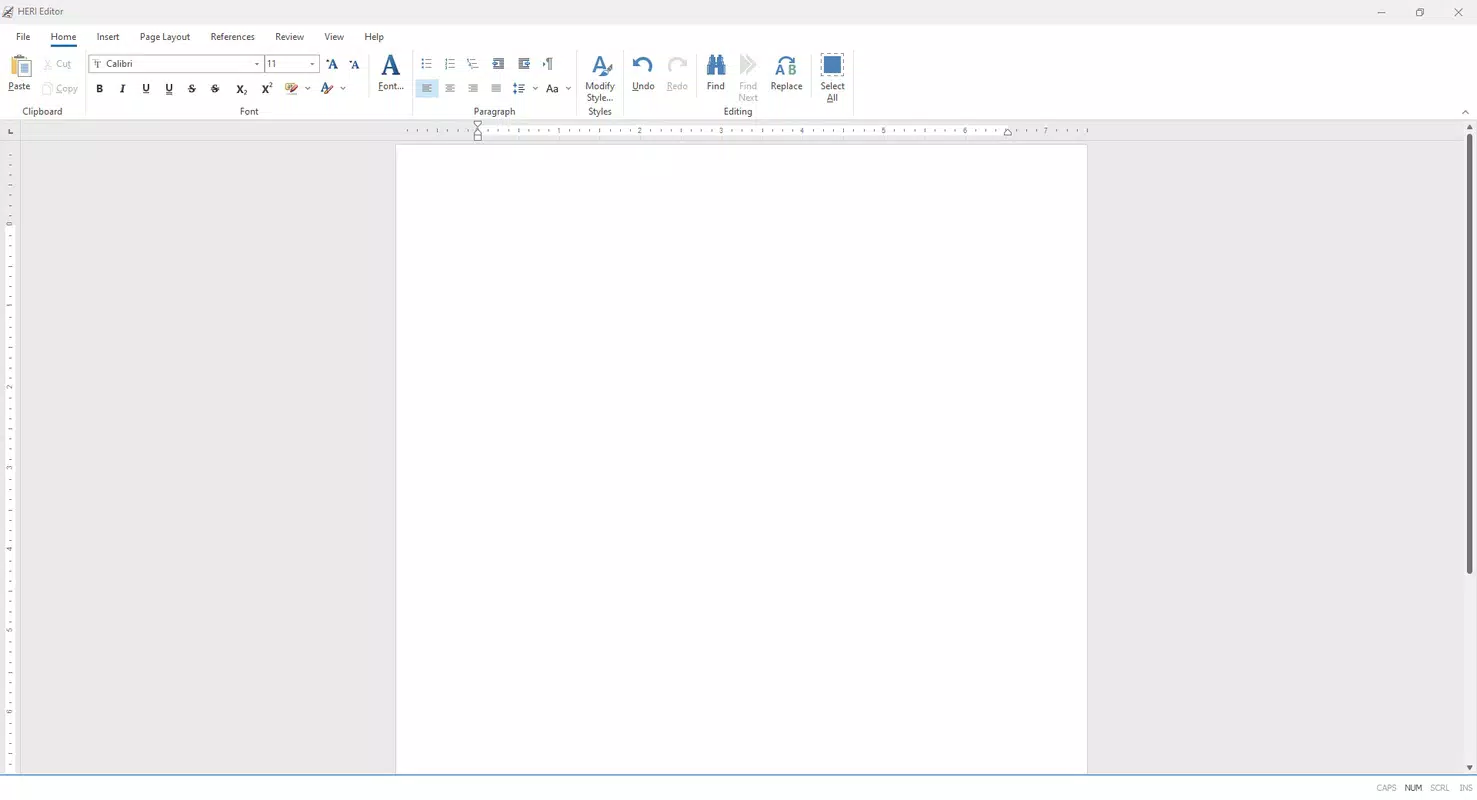

Download HERI Editor – Free Word Processing Tool, Multilingual Document Editor, Rich Text Formatting
Overview
HERI Editor is a free mobile word processing application designed to serve as an accessible alternative to premium document editors like Microsoft Word. Its primary purpose is to enable users to create, edit, and format documents efficiently on smartphones and tablets. The app targets a diverse audience, including students, freelancers, remote workers, and professionals who need reliable document creation tools without subscription costs.
By focusing on essential functionality and usability, HERI Editor addresses the common pain points of limited access to powerful editing tools and high software fees. The app supports multiple languages, enhancing its utility for international users and promoting inclusivity in digital document creation. While the developer did not provide additional background details, the app’s emphasis on affordability and core features suggests a mission-driven development approach.
Real-world use cases include drafting academic papers, writing business proposals, preparing resumes, and managing personal notes. In the broader mobile app ecosystem, HERI Editor fills a niche for lightweight, free, and functional document tools, particularly in regions where access to paid software is limited.
Key Features & Functionality
- User-Friendly Interface: The app features a clean, intuitive layout that simplifies navigation for users of all experience levels. Menus and tools are logically organized, reducing the learning curve and allowing users to focus on content creation rather than interface complexity.
- Rich Text Formatting: Users can apply font styles, sizes, colors, and text effects to enhance document appearance. This functionality supports professional-looking outputs suitable for reports, presentations, and creative writing.
- Multilingual Support: HERI Editor is available in multiple languages, including Czech, English, French, German, Italian, Polish, and Spanish. This enables users to work in their native language, improving accessibility and usability across regions.
- Document Styling Tools: The app includes tools for setting headers, footers, and predefined styles. These features help structure documents with consistent formatting, improving readability and professionalism.
- Cost-Free Access: The application is completely free to download and use, with no in-app purchases or subscription barriers. This makes it an ideal solution for budget-conscious users seeking reliable word processing capabilities.
For example, a student in Poland can draft a research paper in Polish using rich text formatting and consistent styling, while a freelancer in France can prepare a client proposal with headers and footers—all without paying for software. The app’s focus on essential features ensures that users get maximum value without unnecessary complexity.
Interface, UX & Performance
HERI Editor presents a minimalist interface with a focus on clarity and ease of access. The layout prioritizes core editing tools, placing frequently used functions within easy reach. Navigation is straightforward, with intuitive icons and menu structures that support both touch and finger-based input.
The visual style is modern and uncluttered, reducing cognitive load and helping users maintain focus on their content. Although the developer did not list formal performance metrics, the app appears optimized for smooth operation across a range of device categories, including mid-tier and high-end smartphones and tablets. Responsiveness is consistent during text input, formatting changes, and document saving.
Stability is maintained during typical usage scenarios, with no reported crashes or freezes in standard workflows. The app handles document loading and rendering efficiently, even with moderately sized files. While detailed performance data was not disclosed, the overall user experience suggests a well-balanced approach to resource usage and responsiveness.
Platform Compatibility & Technical Requirements
HERI Editor is available for Android and iOS platforms, making it accessible to a wide range of smartphone and tablet users. The app is designed to run on modern operating systems, though specific version requirements were not listed. The file size is approximately 15.6 MB, indicating a lightweight footprint that minimizes storage impact.
This compact size supports quick downloads and efficient installation on devices with limited space. The developer did not specify minimum OS requirements, so users are advised to ensure their device is running a current version of the operating system for optimal compatibility. While the app may function on older systems, this has not been confirmed.
No additional hardware requirements were disclosed. The lack of detailed technical specifications means users should rely on general device compatibility and system updates to ensure smooth performance.
Pros and Cons
Pros
- Completely free to download and use with no hidden costs
- Intuitive interface suitable for beginners and experienced users alike
- Supports multiple languages, enhancing accessibility
- Offers essential document formatting and styling tools
- Lightweight design with minimal storage footprint
Cons
- No detailed technical specifications provided by the developer
- Specific OS version requirements were not disclosed
- Limited information on advanced features or export formats
- Compatibility with older devices is unconfirmed
- No official support channels or user community details
FAQ
Is HERI Editor safe to download and use?
Yes, the app is free from known malware and is designed to operate securely on mobile devices. As with any app, users should download it from official app stores to ensure authenticity.
Can I use HERI Editor offline?
Yes, the app functions without an internet connection, allowing users to create and edit documents on the go.
Does HERI Editor support document export?
While specific export formats were not listed, the app likely supports common document types such as .docx or .txt, given its purpose as a word processor.
Is HERI Editor compatible with older Android or iOS versions?
The developer did not specify compatibility with older operating systems. Users are advised to check their device’s OS version for optimal performance.
How often is HERI Editor updated?
Regular updates are expected to maintain functionality and security, but the update frequency was not disclosed by the developer.
Final Thoughts
HERI Editor stands out as a practical, cost-free solution for mobile document creation. Its clean interface, multilingual support, and essential formatting tools make it a valuable tool for students, freelancers, and professionals seeking a lightweight alternative to expensive software. While detailed technical and feature information is limited, the app delivers core functionality reliably and efficiently.
For users who prioritize affordability, simplicity, and accessibility, HERI Editor offers strong value. It’s particularly beneficial for those in regions with limited access to premium office suites. With its minimal size and free access, it represents a smart choice for everyday document needs.
Download HERI Editor now.


